
 Privacy-first eSigning
 Seamless Identity Check
 Digital Twin
 Lifecycle Updates
 Simple API Integration
 Real estate
 Financial Services
 Healthcare
 Education
 All industries
 Sales
Sales HR
HR Procurement
 Legal
Legal Legal Validity
 Blog
Blog News
NewsWhich eSignature Standard
should I use?
Quick overview:

Unlike wet signatures, not all eSignatures carry the same legal weight
Common standards include SES, AES, PES, and QES
The PES (Professional Electronic Signature) is often the best fit
Questions about eSignature standards?

Are eSignatures legal?
The legal validity of eSignatures is governed by laws and standards depending on the place of jurisdiction of a contract.
Check out our detailed page about the legal validity for an in-depth overview.
It’s important to note that not all eSignatures are created equal: Because documents vary in content and require different legal weight depending on the use case, there are different types of eSignatures with unique attribues and ideal use cases for each.
SES vs. AES vs. PES vs. QES: An Overview
There are four types of electronic signatures available: SES, AES and QES are the incumbents, PES is the newcomer.
Standard
Legal Weight
Identification Requirements
Area of Application
Examples
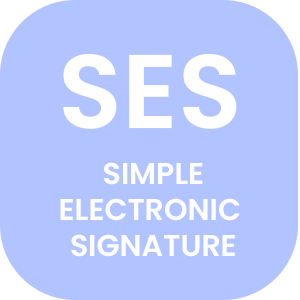
Basic
- Email address
B2B contracts or internal documents without legal formal requirement
- NDA
- Supplier contract
- Internal document
- Customer contract (B2B)
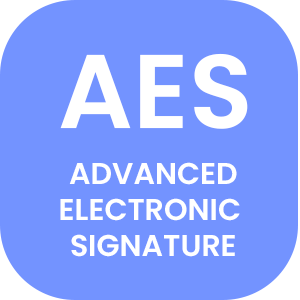
High
- Email address
- Phone number
B2B contracts or internal documents without legal formal requirement
- NDA
- Supplier contract
- Internal document
- Customer contract (B2B)
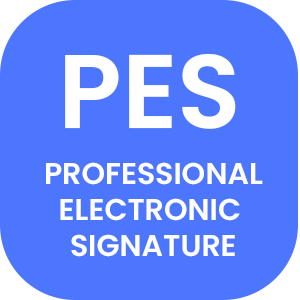
Very High
- Email address
- Forgery-proof online ID verification with facial scan comparison
B2C contracts without legal formal requirement
- Customer contract (B2C)
- Employment contract (open ended)
- Rental agreement (open ended)
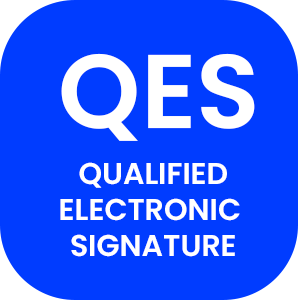
Maximum
- Email address
- Forgery-proof online ID verification with facial scan comparison (EU)
- + Manual agent review (CH)
Documents with legal form requirements
- Consumer credit contract
- Entries with authorities
- Audit reports
| Standard | Legal weight | Identification requirements | Area of application | Examples** |
|---|---|---|---|---|
|
| Basic |
|
|
|
|
| High |
|
|
|
|
| Very High |
|
|
|
|
| Maximum |
|
|
|
Questions about eSignature standards?
Making sense of it all
A detailed look at the types of available eSignatures
Entry level:
Simple Electronic Signature
The SES is holds the lowest legal weight of types available, and is best suited for simple everyday documents that don’t require any type of advanced identification.
Identification of an SES signature happens through email: Anyone who has an email address can start signing using SES on Certifaction today.
SES is suitable for B2B contracts or internal documents because of the business email address as trust anchor, whereas the SES isn’t suitable for B2C contracts as a private email address isn’t linked to a verified identity.

Basic business:
Advanced Electronic Signature
One step above sits the AES: Still a low hurdle to entry, the AES is ideal for for legally valid B2B contracts where the law does not require a specific form.
Identification of an AES signature happens through a mobile phone number in addition to a valid email address.
Just like the SES, this makes the AES unsuitable for forgery-proof identification of B2C signatories.
Best of both worlds:
Professional Electronic Signature
Emails and phone numbers are great for basic identification, but they can be abused quite easily.
That’s where the PES comes into play: Adhering to much stricter identification requirements than both the SES and AES, the PES is the simplest way to forgery-proof identify any customer, and is ideal for applications where there can’t be any doubt about the signatory’s identity.
Identification happens via smartphone: The user is asked to photograph a valid piece of ID both front and back, and then take a selfie for advanced facial recognition.
The highest level:
Qualified Electronic Signature
For a very limited number of documents, there are government-issued legal form requirements. The QES is the highest standard of eSignatures, and provides a maximum of legal weight.
Identification of a QES signatory happens either online via video-call, face-to-face identification with a registered agent, or – the most comfortable option – using ID and facial recognition software on a smartphone, similar to the PES.
Summary: Which eSignature to pick
Which eSignature type to use depends on the requirement of the document to be signed.
The basic Simple Electronic Signature (SES) only requires an email adress, making it good enough for most B2B contracts, but insufficient for tamper-proof identification of B2C customers: Personal email addresses hold no identification value at all (hotboy97@gmail.com, anyone?).
The Advanced Electronic Signature (AES) is also suitable for B2B interactions, as it requires an email address as well as a phone number. It allows identification via a corporate email address and adds an additional verification step by sending a code to a phone number, but is also not suitable for B2C identification as the owner of a phone number is unknown unless a court orders a provider to identify a user.
For tamper-proof identification of end-customers in B2C contract, the Professional Electronic Signature (PES) is the best option. It combines the best of both ease-of-use and advanced security by identifying signatories via advanced ID and facial scans from their smart phone.
For a very specific type of document with legal form requirements, QES is the only valid option, providing a maximum of legal weight.
DISCLAIMER: The information on this site is for general information purposes only and is not intended to serve as legal advice. Should you have specific legal questions, you should consult with a licensed attorney in your area.
Your way forward
Three simple steps to a future-proof eSignature process

Create an account

Try for free
