Privacy-first eSigning
 Seamless Identity Check
 Digital Twin
 Lifecycle Updates
 Simple API Integration
 Real estate
 Financial Services
 Healthcare
 Education
 All industries
 Sales
Sales HR
HR Procurement
 Legal
Legal Legal Validity
 Blog
Blog News
NewsThe simplest API to sign, certify, and verify documents
By developers, for developers
Find the right integration solution for your architecture

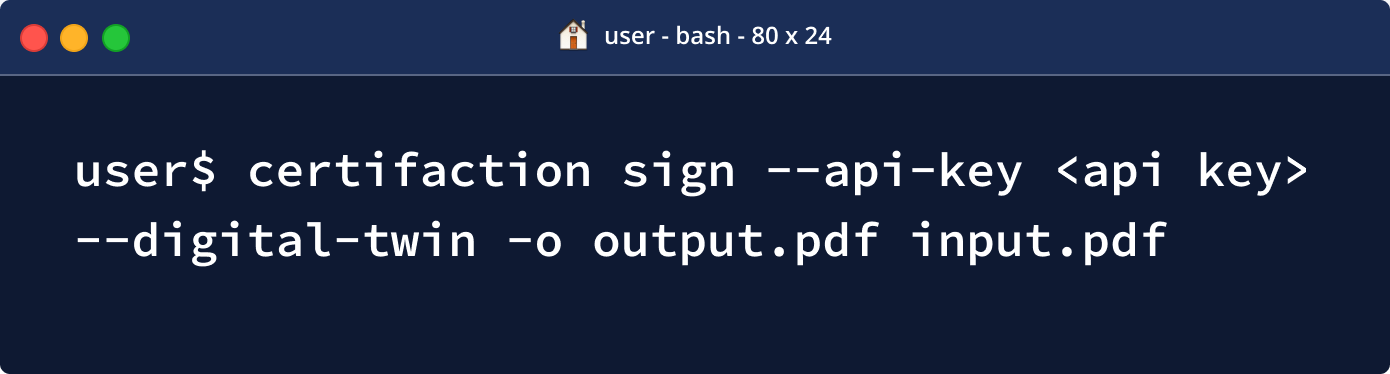
Use our CLI tool to sign and verify documents from the command line
Easily integrate Certifaction to your standalone application on any platform and quickly build signature automation in any scripting language

Deploy our HTTP proxy in a VM or a Docker container in your infrastructure
Benefit from our simple API to add document signature and verification to your processes while still keeping your documents private
How to sign and certify within your IT landscape
Overview of the full integration process

Choose the right integration solution for your architecture
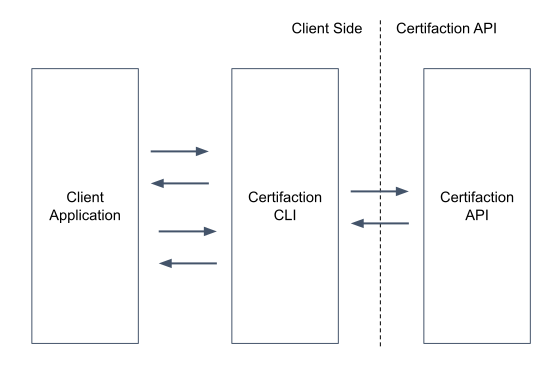
The Certifaction CLI can be used in two modes:
- Interactive to execute commands on the shell, as part of a script or from a third party application.
- Server mode that exposes HTTP endpoints.
In both cases, the CLI sits between the third party application and Certifaction API and will handle document signing, verification and revocation without leaking the document content outside the controlled IT infrastructure of the client.
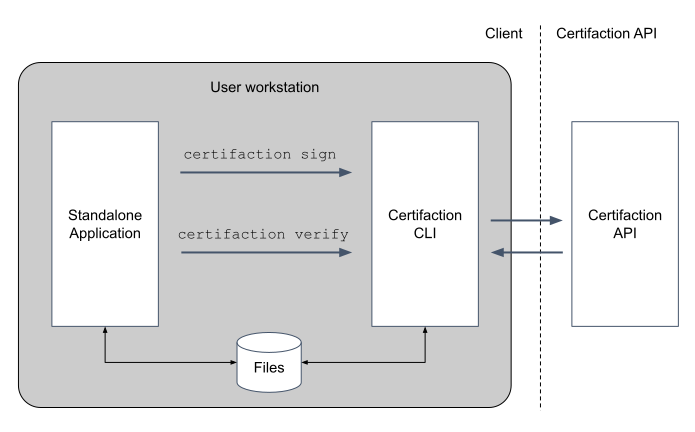
Standalone application integration
In this scenario, the standalone application will use the OS command execution available to their platform to run the Certifaction commands. The documents can either be saved and loaded on the file system, or they can be passed to the command using the standard input and output.
Running the HTTP server on a node
In this scenario, the Certifaction CLI is started in server mode, either directly in a node or VM, or inside a Docker container. The client will use HTTP to sign and verify documents with the guarantee that documents do not leave the client IT system. This is the best option for centralized document signature where documents are signed during an automated document workflow.


Sign or certify within your architecture
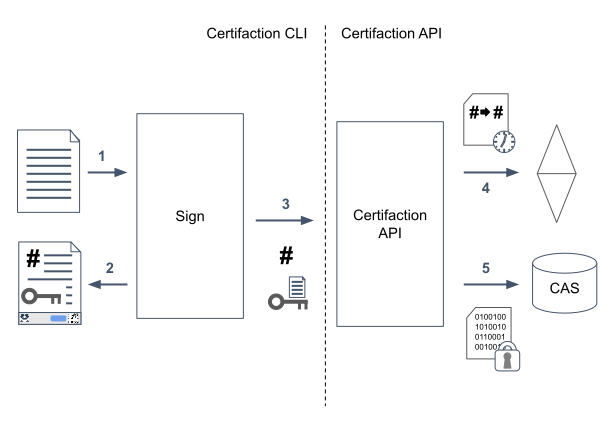
During document signature, the CLI will:
- Receive the PDF document to sign and process it (add security features and the signature footer).
- The processed document is returned and must replace the initial document (as this will be the document that will be signed).
- The hash of the file and a public key is sent to the Certifaction API for registration.
- The signature is timestamped in Ethereum.
- The signature is stored encrypted in a public database.

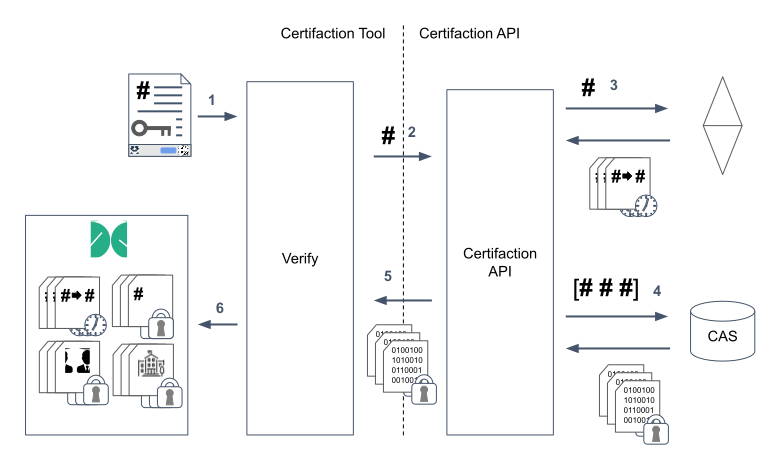
Verify (your) signed or certified documents
During verification, the CLl will calculate the document hash and extract the private signature decryption key, then call Certifaction API that will find any signature timestamp in the blockchain and return the encrypted signatures.
- The document to verify is provided to the CLI
- The document hash is sent to the Certifaction API
- The verification Certifaction API will search Ethereum for all the signature timestamps for the given hash and return them.
- The timestamps refers to encrypted signatures stored in content addressable storage (CAS).
- Certifaction API returns the encrypted signature to the CLI since it cannot decrypt them without the private signature decryption key contained only in the document.
- The signatures are decrypted and a verification result is returned.